Tuesday, May 24, 2011
Fedora 15
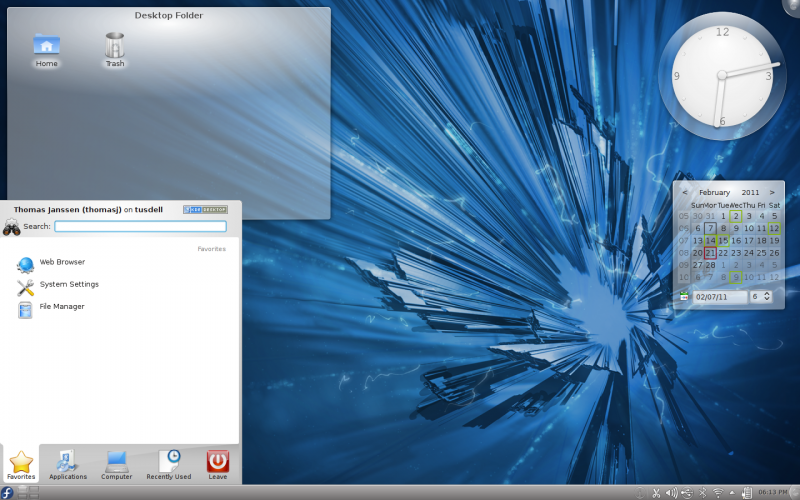
Fedora 15 is out! I highly recommend the KDE spin for those who like a simple, unbloated KDE based OS. http://spins.fedoraproject.org/kde/


Wednesday, May 11, 2011
I need a new distro version 2
Recently I've been surveying a lot of KDE distros. I tried a lot of live cds and looked at a lot of videos and screenshots. Things have changed a little bit since I last searched for a distro. People have started modifying KDE (KDESC?) a bit more from the defaults but not by much certainly nothing that compares to how much Gnome2/Kde3 were/are customized. In any case I eventually decided I had to settle on something. So I went to my s.o.p for distro selection. Make a list and use each distro long enough to decide if it was something I could use with minimal annoyance. Here are my findings so far.
OpenSuse:
I received a great many suggestions for OpenSuse and Arch Linux (and Chakra). I tried OpenSuse 11.4/Tumbleweed. I had many issues with OpenSuse 11.4 unfortunatly. I thought perhaps switching to Tumbleweed would fix them but no cigar. The one thing that sticks in my mind is that my ability to click would randomly stop (yes that is click on buttons). I could use keyboard shortcuts and buttons etc. would work then. Very odd, especially in light of OpenSuse 11.4 getting so much praise which I'm sure is well deserved. There were a lot of great things that I respect about OpenSuse and I certainly respect anyone's decision to use it. However I moved on.
My next distro was going to be Arch. I have a great many good memories of my time on Arch. Almost every thing I learned about Linux I learned using Arch. However I felt the time to set everything up and take care of all the little kinks might be too much so I decided to try Fedora ahead of Arch.
Fedora is my "alma matter" the first distro I ever installed, and in my opinion currently the best gnome distribution out there and given current my experience, I might even say it has the best KDE spin I've tried so far. It's not so much that it does anything special with KDE, it provides basic vanilla kde (though Fedora 15 has an awesome ksplash!). Perhaps that is the beauty in it, nice and simple (they don't even split the kde packages). So far no problems I was able to get to work with minimal setup time.
My reasons for leaving Kubuntu were initially based on the fact that ubuntu had managed to introduce a bug in natty that led to my laptop overheating. This issue managed to resolve itself soon after my decision to switch and the latest Kubuntu release is actually pretty good. However I decided to take the opportunity to try something new.
So it is that I'm currently sticking with Fedora and so far I am quite pleased. If that changes then I still have Arch, PCLinuxOS and Mageia.
OpenSuse:
I received a great many suggestions for OpenSuse and Arch Linux (and Chakra). I tried OpenSuse 11.4/Tumbleweed. I had many issues with OpenSuse 11.4 unfortunatly. I thought perhaps switching to Tumbleweed would fix them but no cigar. The one thing that sticks in my mind is that my ability to click would randomly stop (yes that is click on buttons). I could use keyboard shortcuts and buttons etc. would work then. Very odd, especially in light of OpenSuse 11.4 getting so much praise which I'm sure is well deserved. There were a lot of great things that I respect about OpenSuse and I certainly respect anyone's decision to use it. However I moved on.
My next distro was going to be Arch. I have a great many good memories of my time on Arch. Almost every thing I learned about Linux I learned using Arch. However I felt the time to set everything up and take care of all the little kinks might be too much so I decided to try Fedora ahead of Arch.
Fedora is my "alma matter" the first distro I ever installed, and in my opinion currently the best gnome distribution out there and given current my experience, I might even say it has the best KDE spin I've tried so far. It's not so much that it does anything special with KDE, it provides basic vanilla kde (though Fedora 15 has an awesome ksplash!). Perhaps that is the beauty in it, nice and simple (they don't even split the kde packages). So far no problems I was able to get to work with minimal setup time.
My reasons for leaving Kubuntu were initially based on the fact that ubuntu had managed to introduce a bug in natty that led to my laptop overheating. This issue managed to resolve itself soon after my decision to switch and the latest Kubuntu release is actually pretty good. However I decided to take the opportunity to try something new.
So it is that I'm currently sticking with Fedora and so far I am quite pleased. If that changes then I still have Arch, PCLinuxOS and Mageia.
Monday, May 2, 2011
KDE: Unity Setup
First some screens:


You are looking at a picture (within a picture) both showing my crude 10 minute implementation of Ubuntu's Unity layout by customizing plasma. There was 0 code involved here on my part. It get's basically similar functionality to unity (not everything obviously) and it has both a composited mode and a non-composited mode that you can switch seamlessly between as an added advantage. I think the Ubuntu team should have started with kde technology I feel it would have made their lives much easier and this is a platform that is powerful and would have saved a lot of effort.
How to-ish:
Basically you add the Window Menu bar widget to a panel. Then you move the panel to the top. You add a second panel to the left with a task bar widget in it. Tweak the size and make it autohide. Also, notice that the Title Bar disappeared in the full screen window. Well you can do that with any window manually but with a little handy work, you can actually have kwin hide the title bar when you maximize the window. (This is one of the areas that would require work to reach unity's level of functionality though as no window controls go into the panel.
- kate .kde/share/config/kwinrc
- add: BorderlessMaximizedWindows=true
Subscribe to:
Posts (Atom)

 Posts
Posts